Visualize How Far You Can Travel in Minutes, Not Miles
Discover reachable areas from any location based on actual travel time. Perfect for site selection, delivery planning, and understanding your true
service coverage.
What is a Travel Time Map?
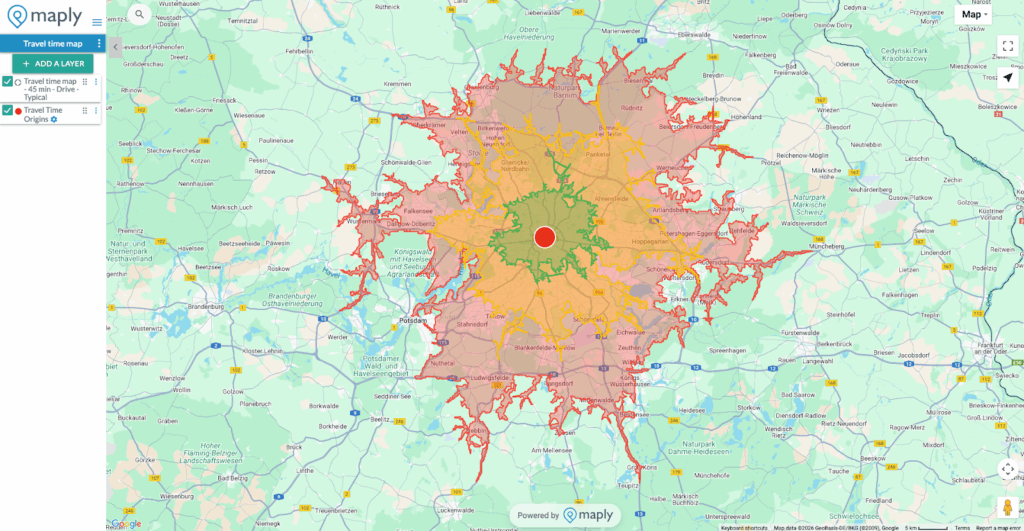
A Travel Time Map (also known as an isochrone map) shows you all the areas reachable from a starting point within a specific time frame. Unlike simple radius circles that only show distance, Travel Time Maps account for real-world factors like roads, traffic patterns, and transportation modes.
Instead of asking “What’s within 10 kilometers?” you can ask “What’s within a 15-minute drive?” — a much more practical question for real-world planning.
Why Use Travel Time Maps?
🏪 Retail & Site Selection
Understand your true catchment area. A store in a city center might have thousands of potential customers within a 10-minute walk, while a suburban location might need a 20-minute drive radius to reach the same population.
🚚 Delivery & Logistics
Define realistic delivery zones based on actual drive times. Set accurate delivery windows and optimize your service areas for maximum efficiency.
🏠 Real Estate
Show clients what amenities, schools, and workplaces are within commuting distance. A 30-minute commute means different things in different locations.
🏥 Healthcare Access
Map healthcare facility coverage to identify underserved areas. Ensure emergency services can reach communities within critical response times.
📍 Event Planning
Determine how many attendees can reach your venue within acceptable travel times. Plan shuttle services and parking based on realistic travel patterns.
How It Works
You can create a Travel Time Map in two simple ways:
either directly from the Add a Layer menu, or by starting from a location already on your map.
Method 1: Create via Add a Layer
Step 1
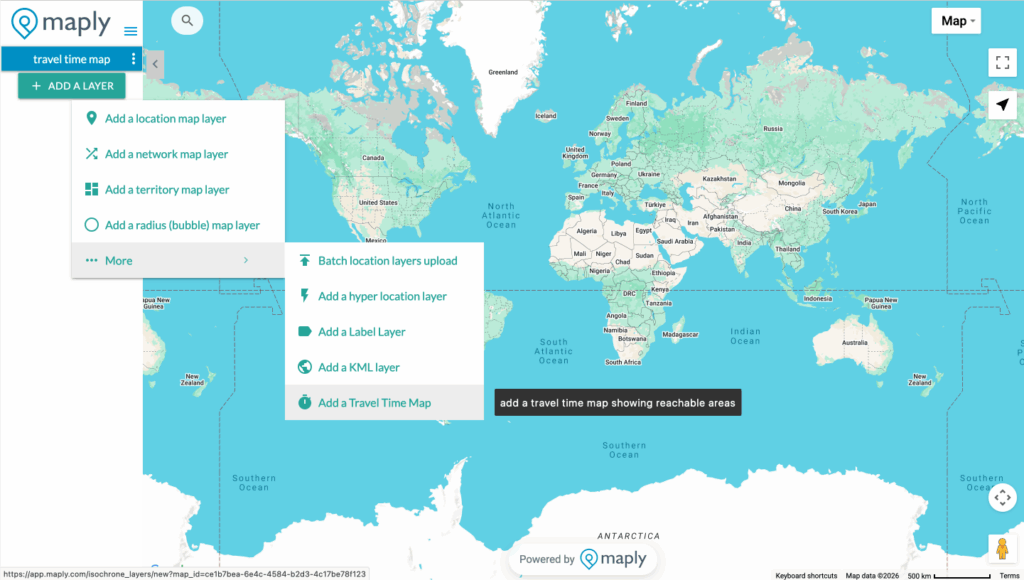
Click the “Add a Layer” button, select “More,” then choose “Add a Travel Time Map.”
Step 2
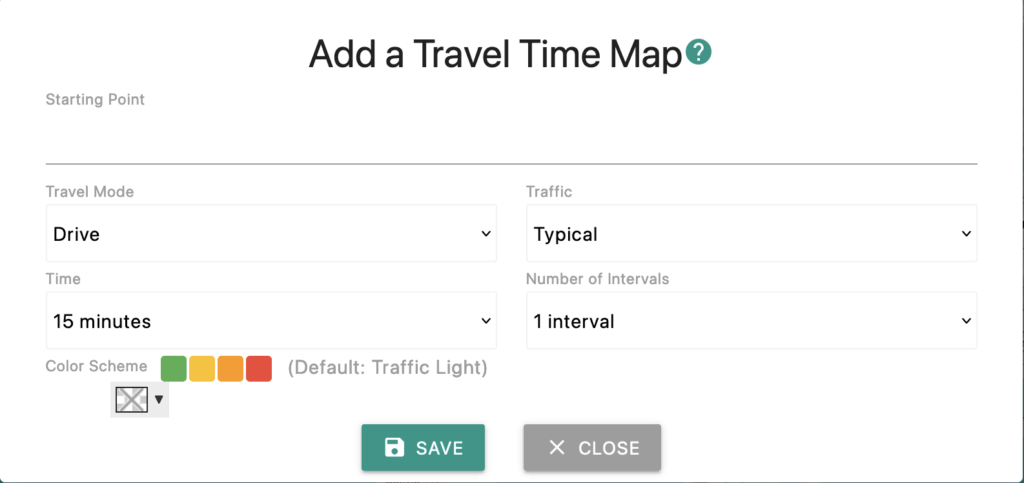
Select your starting location, choose your travel mode, Traffic, Time, and Intervals, then click “Save.” If you want, you can even choose the color gradient. Refer to plan comparison for available options under different subscription plans.
Step 3: Generate & Visualize
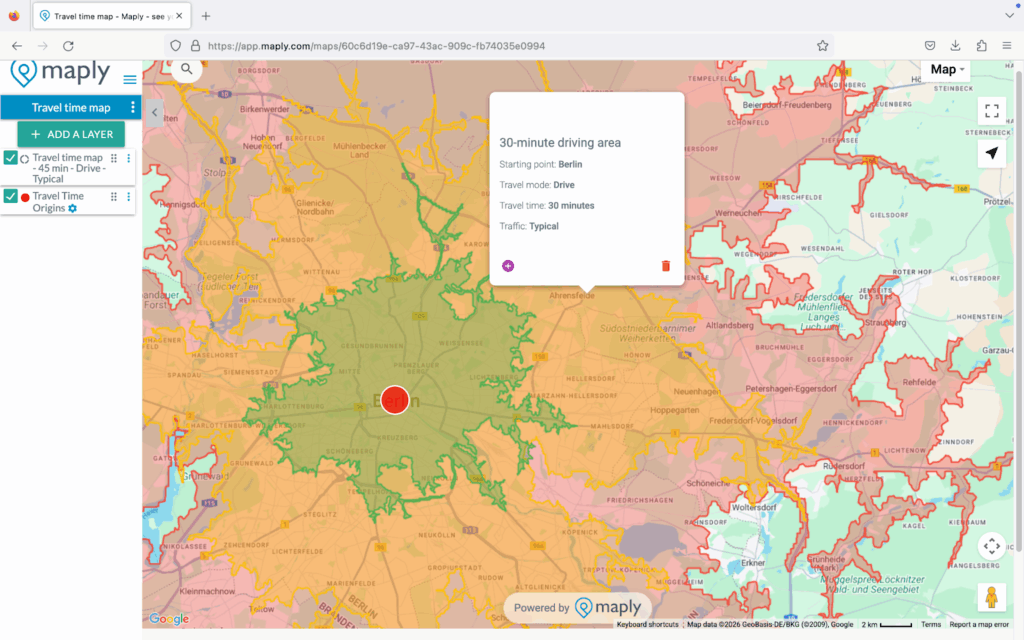
Maply instantly generates color-coded zones showing how far you can reach, from green (closest) to red (outer boundaries).
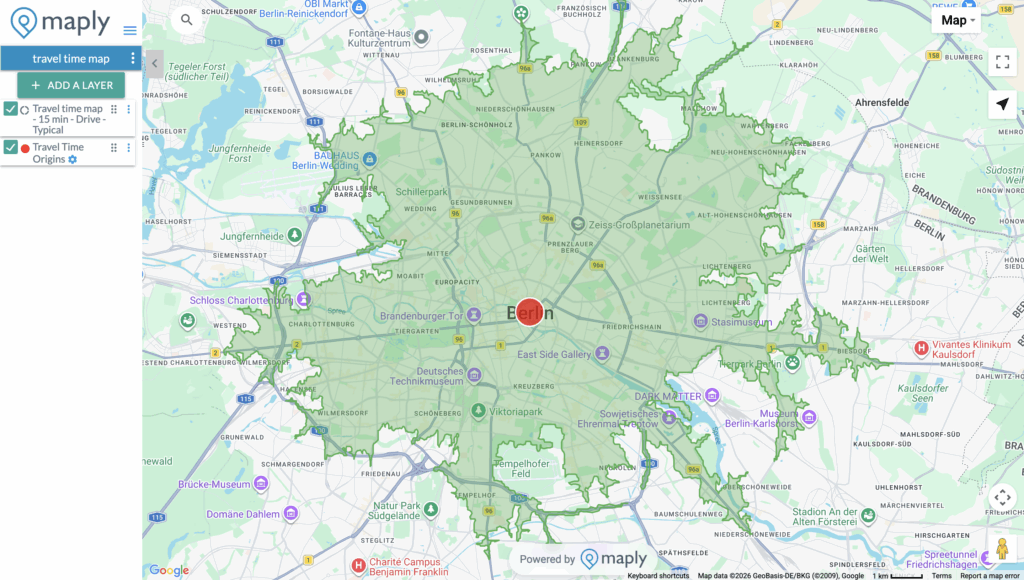
Step 4: Analyze & Share
Click on any zone to view details. Share your map with teammates, embed it in reports, or export it for presentations.
Method 2: Create from a Location
Step 1: Choose Your Starting Point
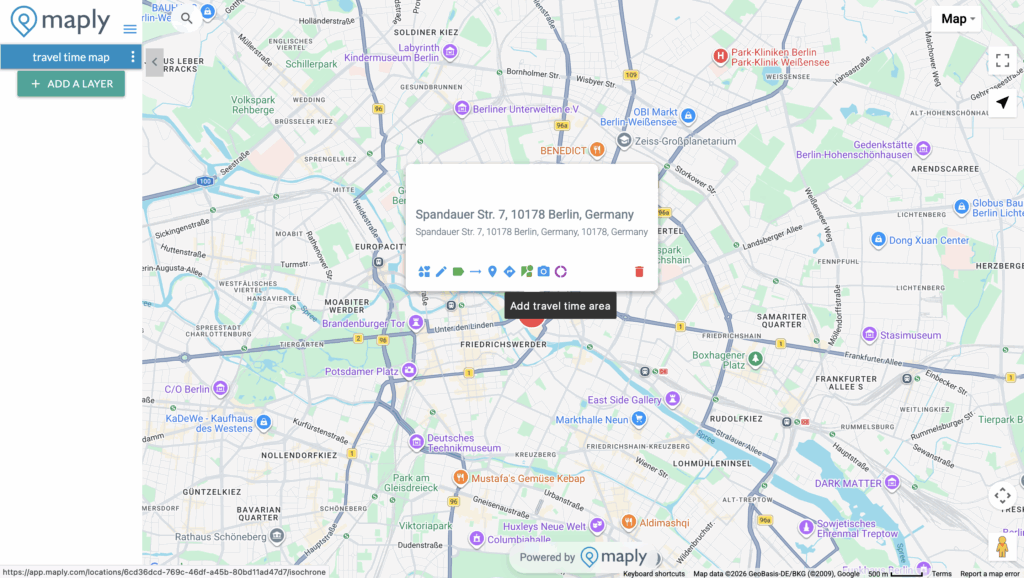
Select any location on your map and click the purple donut icon to add travel time area. A window will pop up to ask for your requirements.
Step 2: Set Your Parameters
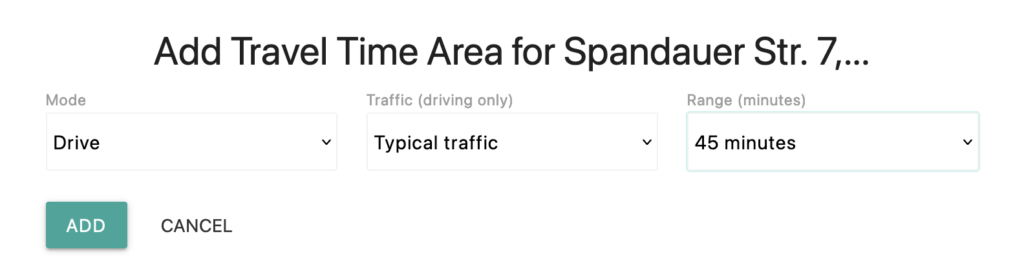
Choose your travel mode (Drive, Walk, Bicycle, or Transit), set the maximum travel time (5–60 minutes) and choose the traffic if the mode is driving.
Step 3: Generate & Visualize
Maply instantly generates color-coded zones showing how far you can reach, from green (closest) to red (outer boundaries).
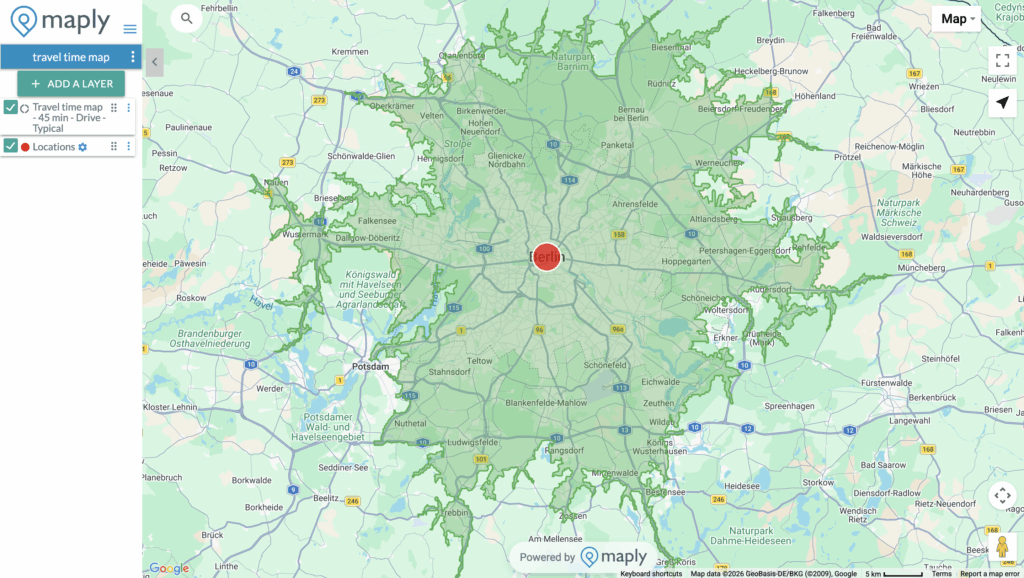
Step 4: Analyze & Share
Click on any zone to view details. Share your map with teammates, embed it in reports, or export it for presentations.
Key Features
🚗 Multiple Travel Modes
- Drive — Account for road networks and speed limits
- Walk — Perfect for urban walkability analysis
- Bicycle — Map cycling-friendly coverage areas
- Transit — Include public transportation routes
🚦 Traffic Conditions
For driving mode, choose between:
- Typical Traffic — Based on historical traffic patterns
- Clear Traffic — Assumes free-flowing roads
🎨 Multiple Intervals
Display up to 4 time intervals on a single map. See what’s reachable in 15, 30, 45, and 60 minutes all at once with our intuitive color-coded visualization.
🎯 Custom Colors
Choose the default traffic-light gradient (green to red) or select your own custom color scheme to match your brand or presentation style.
📊 Layer Integration
Combine Travel Time Maps with your location data. Overlay customer locations, competitor sites, or demographic data to gain deeper insights.
Plan Comparison
| Feature | Free | Pro | Max |
|---|---|---|---|
| Maximum Time | 15 minutes | 45 minutes | 60 minutes |
| Intervals | 1 | 3 | 4 |
| Monthly Requests | 1,000 | 2,000 | 5,000 |
| All Travel Modes | ✓ | ✓ | ✓ |
| Traffic Options | ✓ | ✓ | ✓ |
| Custom Colors | ✓ | ✓ | ✓ |
Use Cases
Franchise Territory Planning
“We used Maply’s Travel Time Maps to ensure our franchise territories don’t overlap. Each franchisee now has a clearly defined 20-minute drive-time zone, eliminating disputes and maximizing coverage.”
Emergency Response Planning
“By mapping 5, 10, and 15-minute response zones from our fire stations, we identified gaps in coverage and made data-driven decisions about where to locate new facilities.”
Commute Analysis
“Our HR team uses Travel Time Maps to show job candidates what neighborhoods offer a 30-minute or less commute to our offices. It’s been a great recruiting tool.”
Frequently Asked Questions
How accurate are the travel times?
Our Travel Time Maps use industry-leading routing data that accounts for actual road networks, speed limits, turn restrictions, and historical traffic patterns. While actual travel times may vary due to real-time conditions, our maps provide highly reliable estimates for planning purposes.
Can I create Travel Time Maps from multiple locations?
Yes! You can create Travel Time Maps from any location on your map. Add multiple isochrone layers to compare coverage from different sites or analyze overlapping service areas.
What’s the difference between Travel Time Maps and radius circles?
Radius circles (buffer zones) show a fixed distance in all directions, ignoring roads and barriers. Travel Time Maps show actual reachable areas based on real travel conditions — accounting for highways, local roads, rivers, and other geographic features that affect travel.
Can I export or share my Travel Time Maps?
Absolutely. You can share your maps via link, embed them in websites, or take screenshots for reports and presentations. Pro and Max users can also publish maps publicly.
Ready to Map Your Reach?
Start creating Travel Time Maps today. No credit card required for free accounts.